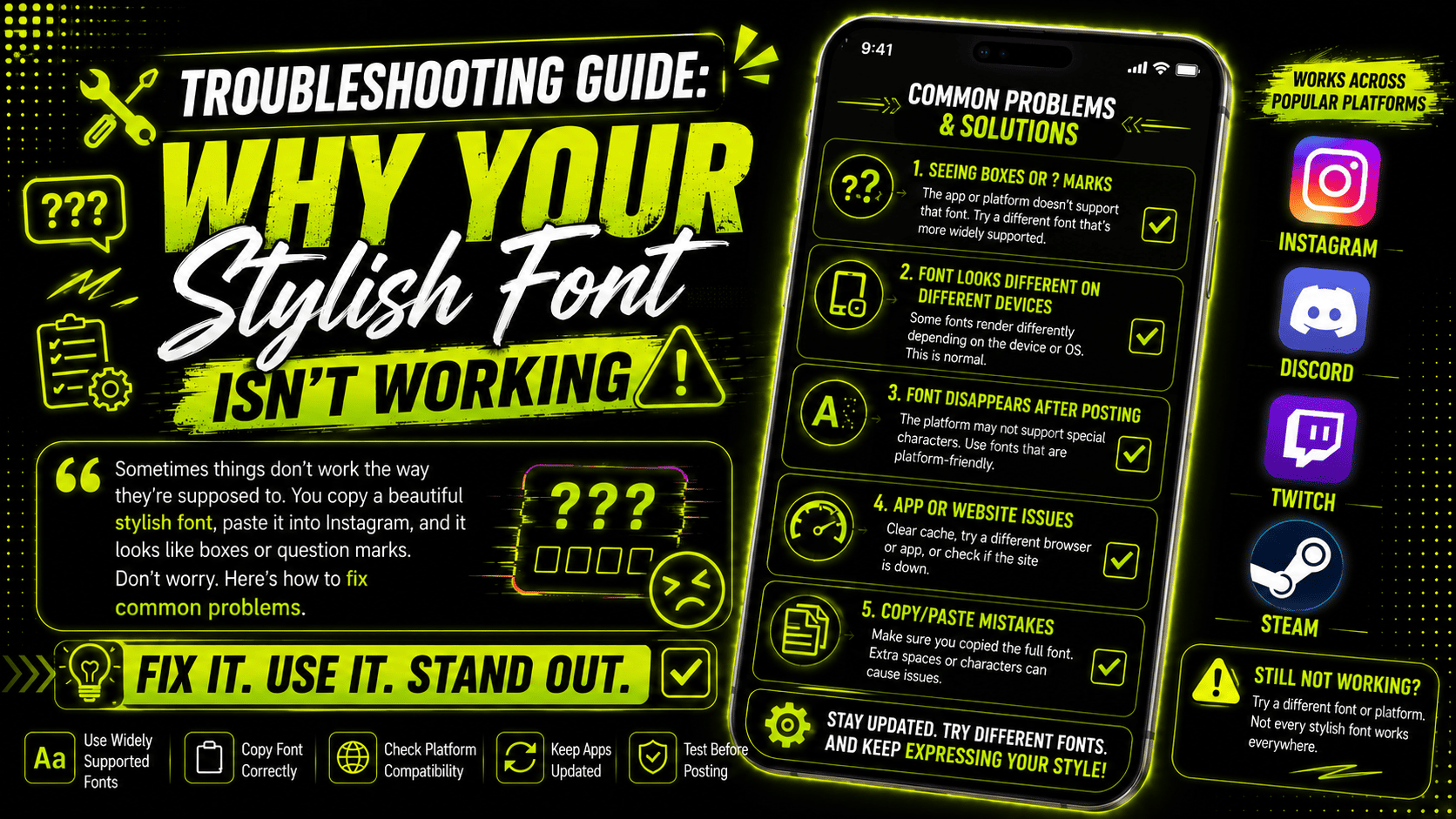
🔧 Troubleshooting Guide: Why Your Stylish Font Isn't Working
📅 Published: April 8, 2026 | ⏱️ Reading time: 6 min |
Sometimes things don't work the way they're supposed to. You copy a beautiful stylish font from our generator, paste it into Instagram, and... it looks like boxes or question marks. Or maybe it works on your phone but looks weird on your friend's phone. What's going on? Don't worry. This is usually fixable. Let me walk you through the most common problems and how to solve them.
Most font issues fall into just a handful of common categories.
💡 Before You Start: Most font problems are solved by simply trying a different font style. The most reliable fonts are Bold Serif, Bold Sans, and Monospace. Start there!
Common Problems and Solutions
🔲 Problem 1: Font Shows Up as Boxes or Question Marks
This is the most common problem. You paste your fancy text, and instead of letters, you see little boxes (□) or question marks (?). This usually means the device or app you're using doesn't have that specific Unicode character installed.
✅ Solution: Try a different font. Some fonts use more common Unicode characters that are supported everywhere. The Bold Serif (𝐀) and Bold Sans (𝗔) fonts are usually safe bets. Save the more exotic fonts for platforms you know support them.
⚡ Quick Fix: Switch to Bold Sans or Monospace font — they work on 99.9% of devices.
📱 Problem 2: Font Works on Desktop but Not on Mobile
This usually means your mobile device is running an older operating system. Newer versions of iOS and Android support almost all Unicode characters, but older versions might not.
✅ Solution: Update your phone's operating system if possible. Go to Settings > General > Software Update (iPhone) or Settings > System > System Update (Android). If you can't update, stick with more common fonts like Bold Sans or Monospace.
📋 Problem 3: Font Works in Preview but Not After Pasting
This is usually a copy-paste issue. Sometimes when you copy text, you accidentally copy extra spaces or formatting characters.
✅ Solution: Try copying again, making sure you only highlight the text you want. You can also try pasting into a plain text editor like Notepad (Windows) or TextEdit (Mac) first, then copying from there to your destination. This removes any hidden formatting.
⚡ Quick Fix: Use Ctrl+Shift+V (or Cmd+Shift+V on Mac) to paste without formatting.
📱 Problem 4: Font Looks Different on Different Devices
This is normal to some extent. Different devices and different apps render Unicode characters slightly differently. A font that looks elegant on an iPhone might look a little chunky on an Android.
✅ Solution: There's not much you can do about this except test your font on multiple devices before you commit to it. If it looks good on your phone and a friend's phone, you're probably safe.
📏 Problem 5: My Bio Is Too Long Now
Instagram bios have a 150 character limit. Some decorative fonts add extra spaces or symbols that count toward that limit. If your bio was already close to the limit, adding a fancy font might push it over.
✅ Solution: Shorten your bio or choose a font that doesn't add extra characters. Some fonts (like Bold Sans) don't add extra spaces. Others (like Sparkle Font) add symbols around your text that count toward the limit.
⚡ Quick Fix: Use Bold Sans or Monospace — they add no extra characters.
🖱️ Problem 6: The Copy Button Isn't Working
If the copy button isn't working, it's usually a browser issue.
✅ Solution: Try refreshing the page. If that doesn't work, try copying manually by highlighting the text and pressing Ctrl+C (or Cmd+C on Mac). If neither works, try a different browser. Chrome, Firefox, and Safari all work well with our site.
🎮 Problem 7: Font Doesn't Work in My Game
Some older games don't support Unicode characters at all. Others support only basic Unicode.
✅ Solution: Check if the game supports Unicode. Many modern games (Fortnite, Valorant, Apex Legends) do support it. Older games (CS:GO, older MMOs) might not. Test with a simple font like Bold Sans first. If that doesn't work, stick with regular text for that game.
🔤 Problem 8: Some Letters Work, Others Don't
This happens when a font style doesn't have a complete character set. Some fancy fonts only have uppercase letters or only have certain special characters.
✅ Solution: Use a more complete font style. Bold Serif, Bold Sans, and Double Struck have full uppercase, lowercase, and number support. Decorative fonts sometimes have gaps.
📊 The Most Reliable Fonts (99.9% compatibility):
✅ Bold Serif (𝐀𝐁𝐂) - Works everywhere
✅ Bold Sans (𝗔𝗕𝗖) - Works everywhere
✅ Monospace (𝙰𝙱𝙲) - Works everywhere
✅ Double Struck (𝔸𝔹ℂ) - Works on 95% of devices
⚠️ Script (𝒜𝐵𝒞) - Works on 90% of devices
⚠️ Decorated (✨) - Symbol support varies
Quick Troubleshooting Checklist
📋 □ Try a different font (start with Bold Sans)
📱 □ Update your device operating system
🖥️ □ Test on another device (phone vs computer)
🔄 □ Refresh the page and try again
📋 □ Copy manually (Ctrl+C instead of copy button)
🧹 □ Paste into Notepad first, then copy again
🌐 □ Try a different browser (Chrome, Firefox, Safari)
📏 □ Check character limits (Instagram: 150, Twitter: 280)
🎯 Platform-Specific Known Issues:
Instagram: Works perfectly, but bio has 150 character limit. Some decorative fonts take extra space. Twitter/X: 280 character limit. Works perfectly within that. TikTok: Captions support Unicode fully. Bio has 80 character limit. LinkedIn: Professional environment — stick with clean fonts only. Discord: Great support! Test in both light and dark mode. WhatsApp: Full Unicode support on both iOS and Android.
📞 When All Else Fails:
If you've tried everything and your font still isn't working, reach out to us. Email support@stylishfonttool.com with:
• What device you're using (iPhone, Android, Computer)
• What operating system version
• What app/platform you're trying to paste into
• What font style you're trying to use
• A screenshot if possible
We'll help you figure it out within 24-48 hours!
🎯 Your Action Step:
Bookmark this page for future reference. If you ever run into a font issue, come back here and work through the checklist. Most problems can be solved in under 2 minutes. And remember — when in doubt, use Bold Sans or Monospace. They're the most reliable fonts on the internet!